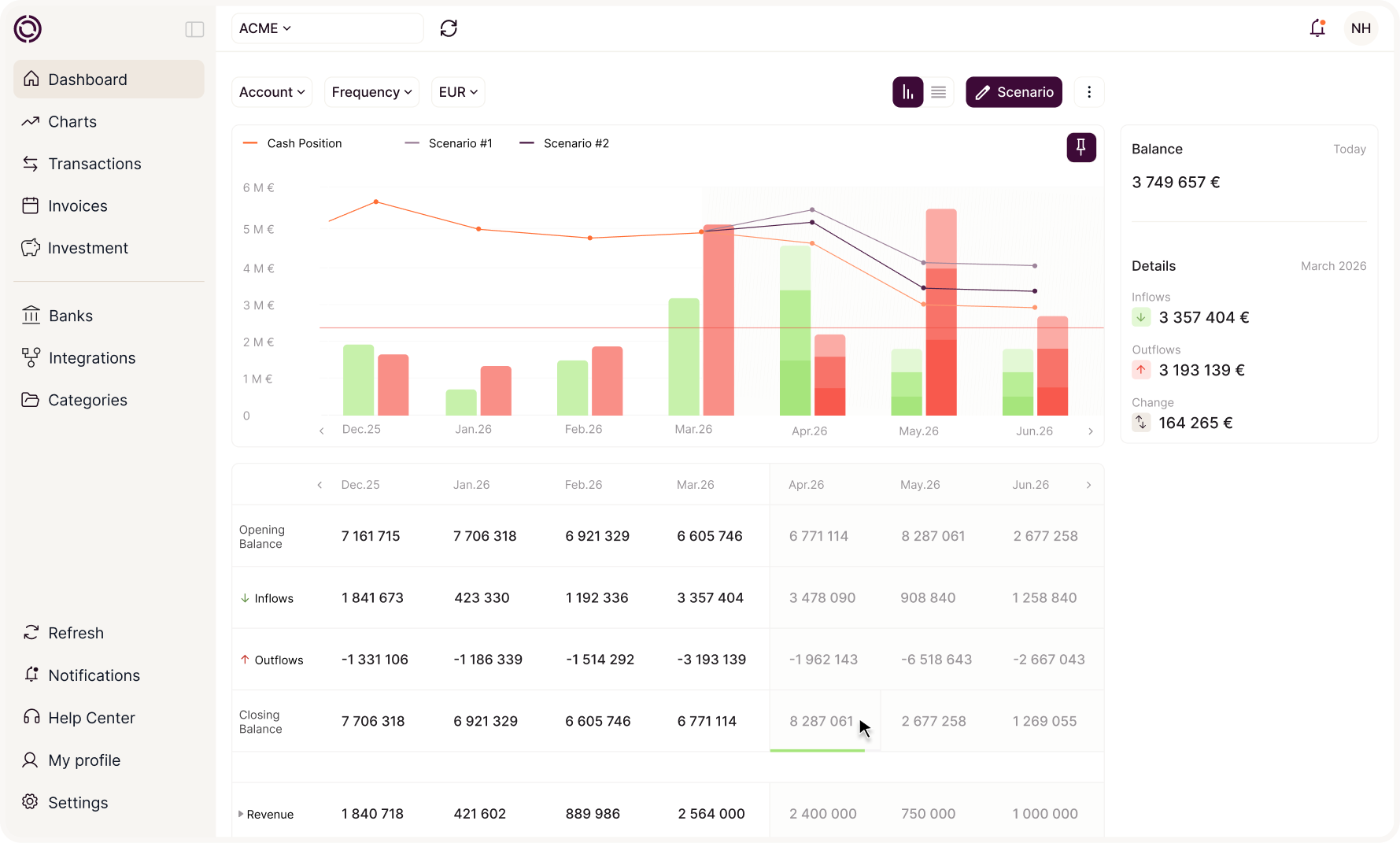
Your cash, readable and up to date with no manual reconstruction


4.9/5
Okimia connects to your bank accounts, automatically categorizes your flows and gives you a structured read on your cash position. By entity, by bank, by category.
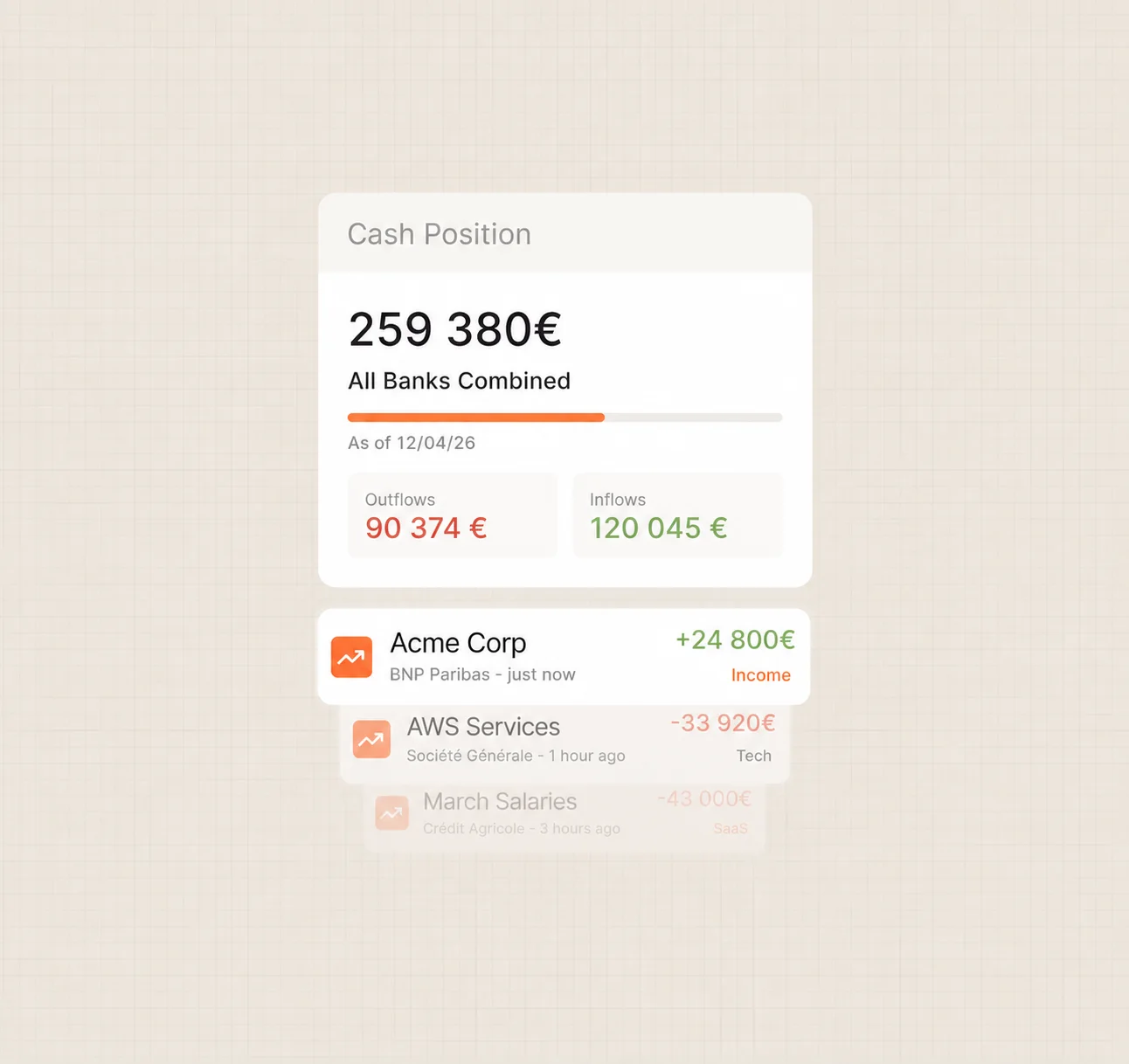












Your data already exists, it's just scattered
Banking portal, accounting export, Excel file, PDF statements. The information is there, but pulling it together takes time, depends on one person, and produces a result no one is ever fully sure about. Okimia does that reconstruction work automatically.
From raw banking data to a usable cash read
Okimia's cash monitoring doesn't just pull in your balances. It structures, categorizes and organizes your flows so you can steer your cash day to day (not once a month, when the file is finally up to date).
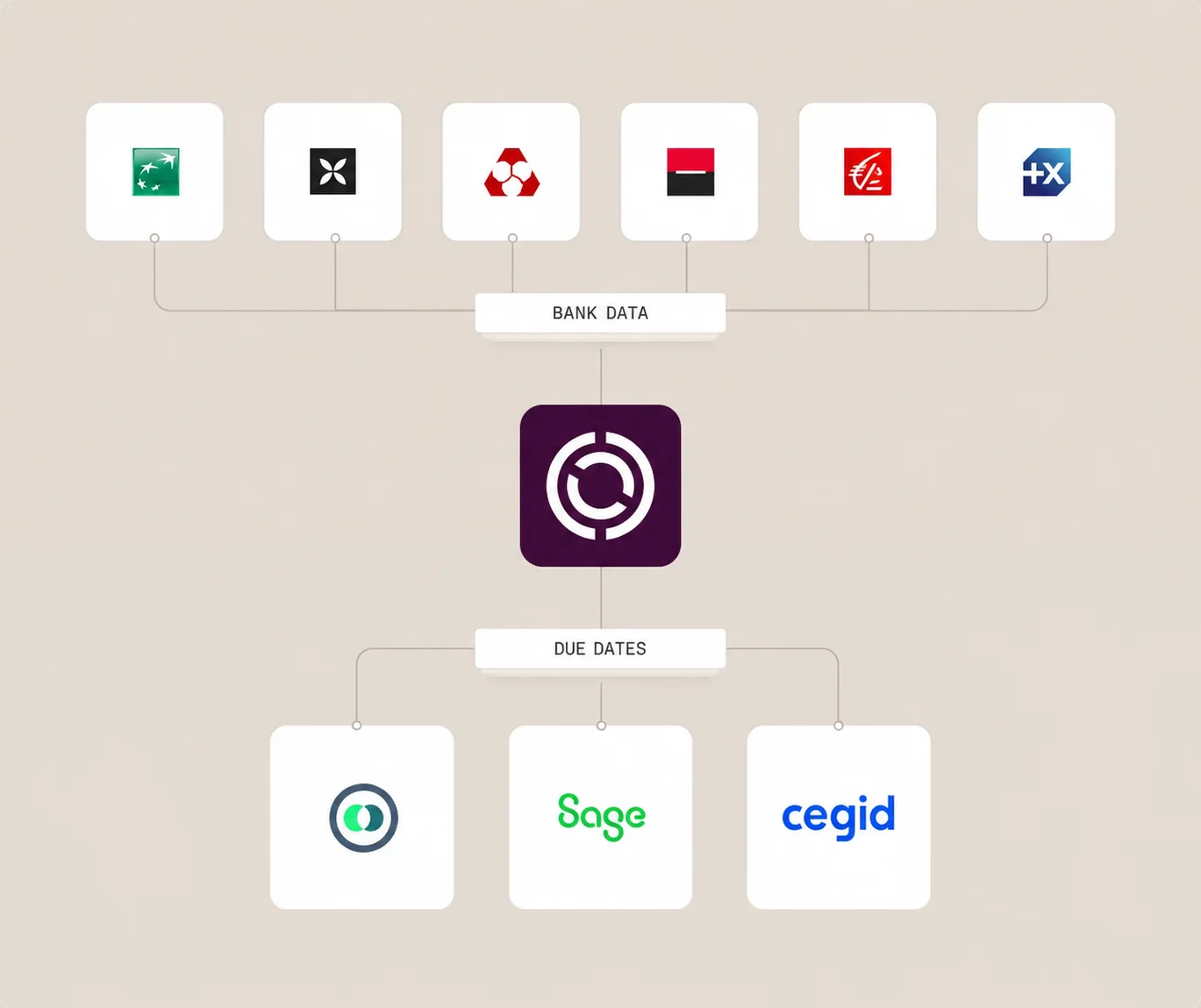
All your banks and management tools, on a single screen
Okimia connects to all your bank accounts via Open Banking and pulls in your flows in real time.
If you use an ERP or accounting tool (Pennylane, Sage, Cegid…), Okimia interfaces with it to retrieve the complementary data: accounting tags, supplier accounts, customer accounts. You no longer export anything by hand. The data arrives structured and ready to read.Okimia se connecte à toutes vos banques et récupère vos relevés automatiquement. Dans l'autre sens, les ordres de virement préparés dans votre ERP repartent vers vos banques, signés (EBICS TS). Vous ne touchez plus un seul fichier.
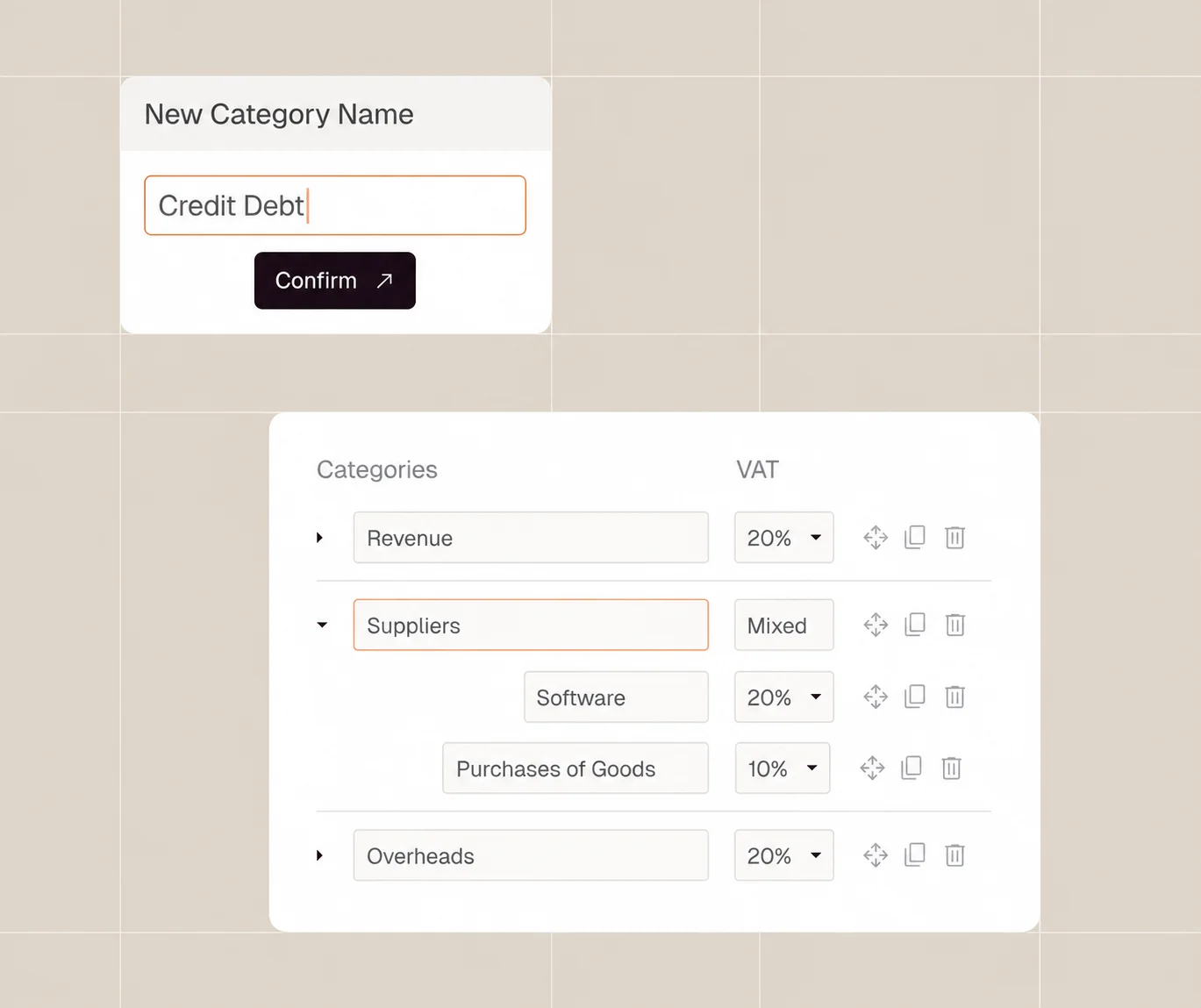
Your flows categorized automatically, with your own business logic
Each transaction is categorized the moment it arrives, according to the rules you define: by supplier, by label, by flow type.
Once your rules are in place, Okimia applies them to every new movement with no intervention. You set the rules once, and the tool runs them continuously.
Read your cash like a decision-maker, not an accountant
View your flows by category, by bank, by entity — with the level of detail you need to make calls.
DSO and DPO are calculated from your customers' and suppliers' actual payment behavior, not from the theoretical due dates on your invoices. You know what's coming in, what's going out, and why.
Vos écritures, prêtes pour votre logiciel comptable
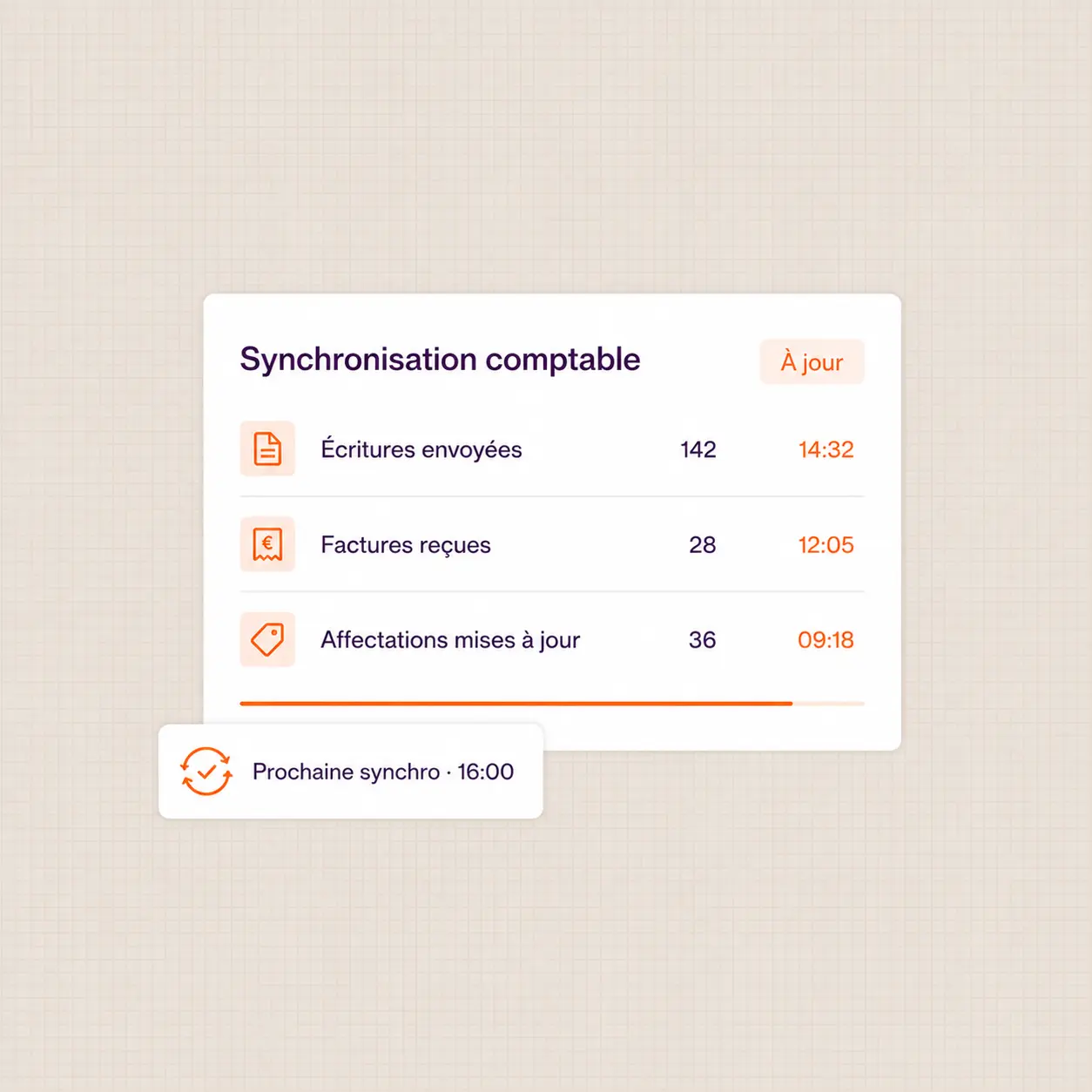
Okimia échange plusieurs fois par jour avec votre comptabilité et votre ERP : factures, échéances, flux bancaires, paiements et affectations analytiques.
Vos données circulent dans les deux sens, sans ressaisie ni rapprochement manuel en fin de mois. Okimia ne remplace pas votre comptabilité : il l’alimente et s’en nourrit.
Synchronisez les outils de vos clients
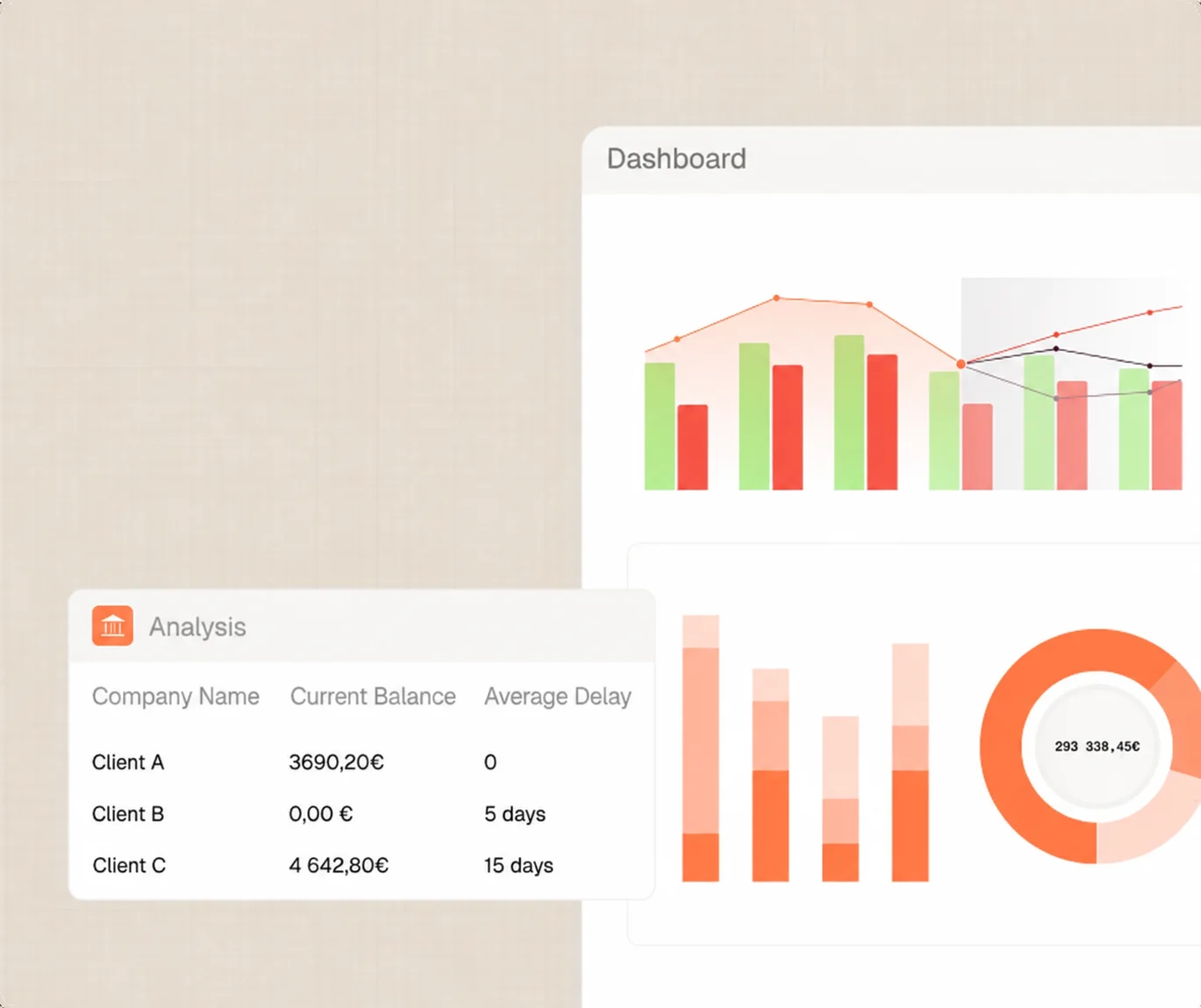
Connectez les ERP, outils de gestion ou outils comptables de vos clients à Okimia et automatisez le partage de l'information financière entre les différents outils que vous et vos clients utilisez.
















They replaced their spreadsheet and they're not going back.


.webp)


100% GDPR compliant
Your data is hosted in Europe, with AWS in Frankfurt. Our processes are fully GDPR compliant.

Trusted partners
Whether for aggregating your banking data, executing your payments or investing your cash, our partners are carefully vetted.

Registered with ORIAS
Okimia is registered as a COBSP (Banking Operations and Payment Services Broker) and a CIF (Financial Investment Advisor).


We're here to help

Have more questions?
Don't hesitate to contact our teams.
What is the bank journal in accounting?
The bank journal is the accounting journal where receipts and payments through the company's bank accounts are recorded. Each movement on the statement gives rise to a balanced entry, carrying a number and a date, made up of at least two lines: one on account 512 for the cash that's moving, and one or more others for the offsetting entry — customer, supplier, expense, internal transfer... Okimia generates these entries automatically from your synced transactions.
What's the difference between a bank statement and a bank journal?
The bank statement is an external document produced by your bank: a list of movements with a running balance, with no accounting codes attached. The bank journal is an internal accounting record: each movement becomes a balanced entry, using accounts from the chart of accounts, with total debits equal to total credits. The statement tells you what the bank saw go through; the bank journal tells you what that means from an accounting standpoint. Okimia translates one into the other.
Is account 512 an entry?
No, it's an account. A bank journal entry always has at least two lines, only one of which carries account 512: the one that reflects the cash movement itself. The other lines carry the offsetting entry: the customer account (411) for a receipt, the supplier account (401) for settling an invoice, an expense account (6xx) and deductible VAT for a cash purchase, or account 580 for a transfer between two of the company's accounts.
How does Okimia automate bank reconciliation?
Okimia syncs your accounts continuously, recognizes bank statement descriptions, assigns the right offsetting entry, and produces the balanced entry. It then links each receipt to the invoice it settles and each payment to the liability it clears — that's matching, including on grouped payments and partial receipts. Bank reconciliation stops being a monthly catch-up in a spreadsheet and becomes a permanent, line-by-line auditable record.
How are transfers between my own accounts handled?
An internal transfer creates two entries, one per bank, linked by the suspense account 580: the sending account is credited on account 512 with account 580 debited, and the receiving account is debited on account 512 with account 580 credited. Okimia identifies these movements as internal and generates both entries. This matters for your cash management: without this treatment, the same euro gets counted twice and your operating cash flows are distorted.
Does Okimia replace my accounting software?
No. Okimia is a cash management tool, not an accounting production tool. It connects to your accounting software (Pennylane, Sage, Cegid, and others) to retrieve the data needed for forecasting and tracking: customer and supplier due dates, entries, categorisation. Your accountant continues to work in their usual tool; you manage in Okimia.
Request a demo
30 minutes with a specialist who will set up Okimia for your business. They will answer all your questions and show you the product in real-world conditions.
Free trial
Create your account and connect your banks in 5 minutes. 7 days free to explore Okimia at your own pace, no commitment.